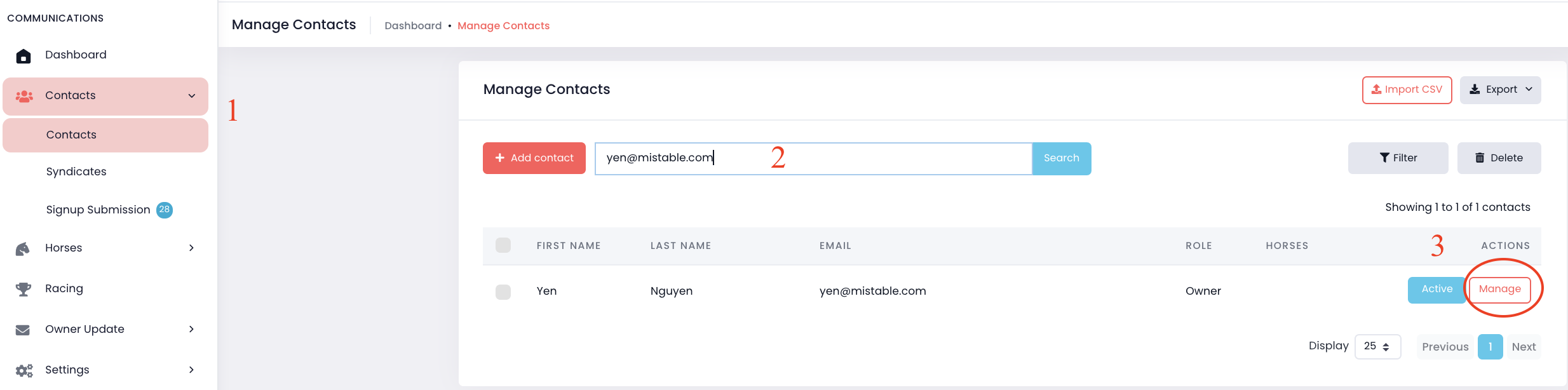
1. Go to "Contacts" on the menu -> Select "Contacts".
2. Search for the contact by name or email address.
3. Click "Manage".
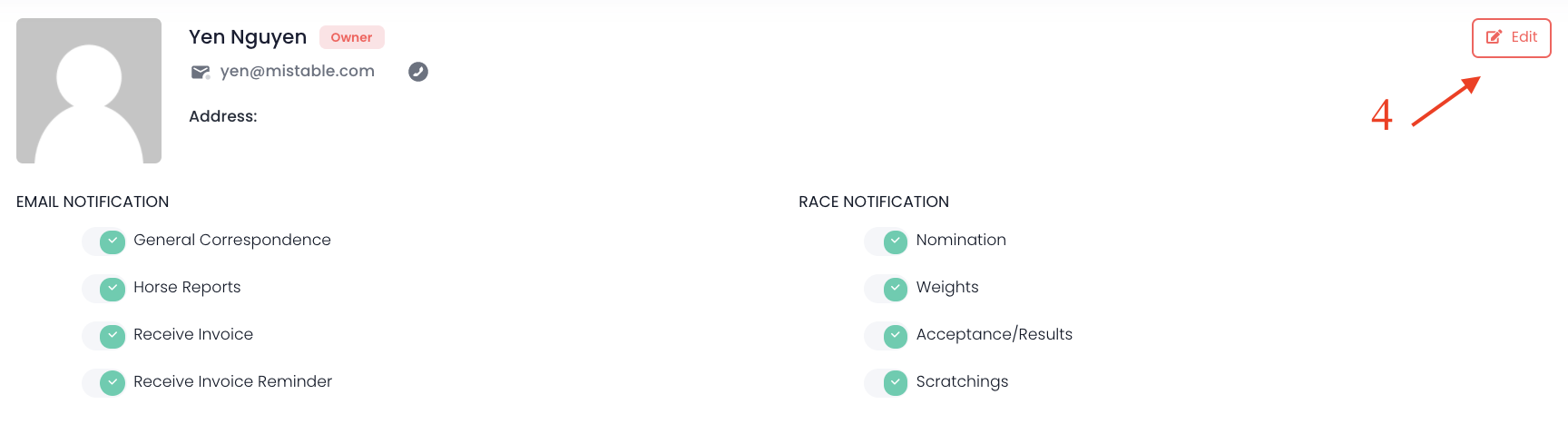
4. Click "Edit" button on the upper right corner.
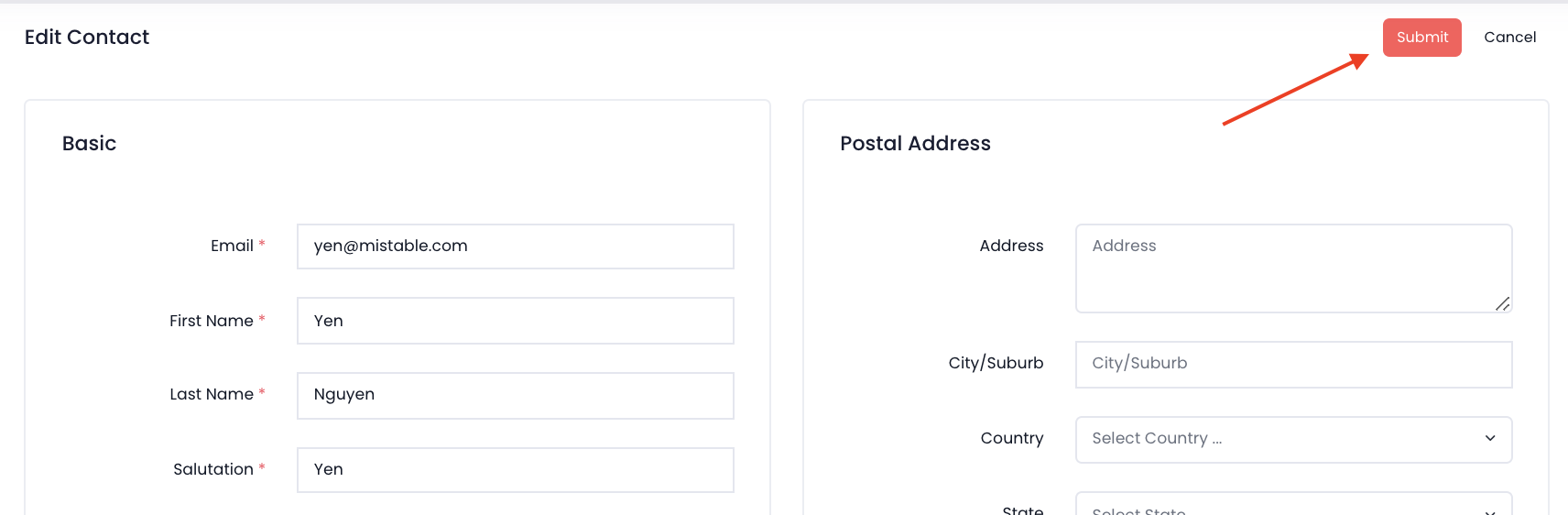
5. Edit any details and click "Submit".

1. Go to "Contacts" on the menu -> Select "Contacts".
2. Search for the contact by name or email address.
3. Click "Manage".
4. Click "Edit" button on the upper right corner.
5. Edit any details and click "Submit".
Comments
0 comments
Please sign in to leave a comment.