
If you wish to share or send a link of a video you have uploaded through miStable, please follow either of these options:
MiStable Dashboard
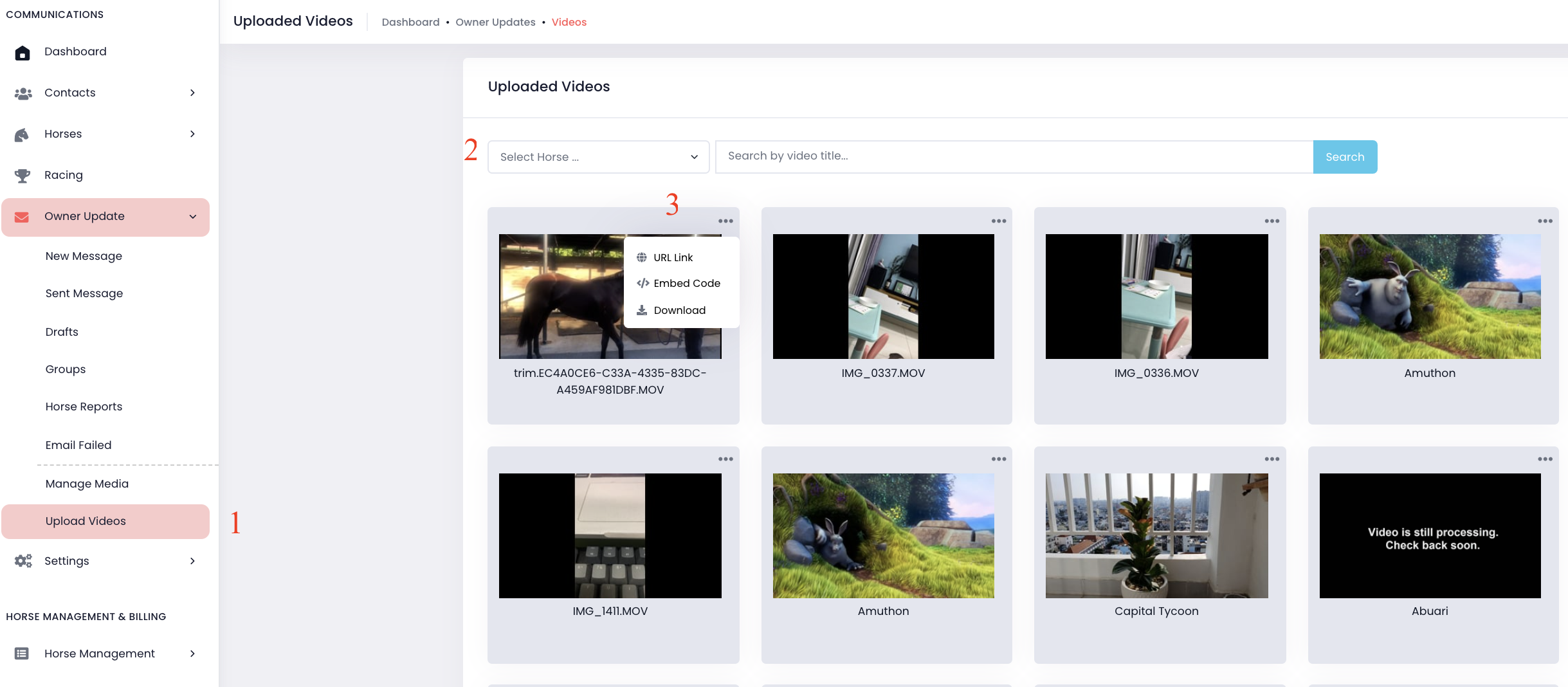
- Go to "Owner Update" on the menu -> Select "Upload Videos"
- Select horse or search video title -> Click "Search".
- Click three dots button -> Select "URL Link).
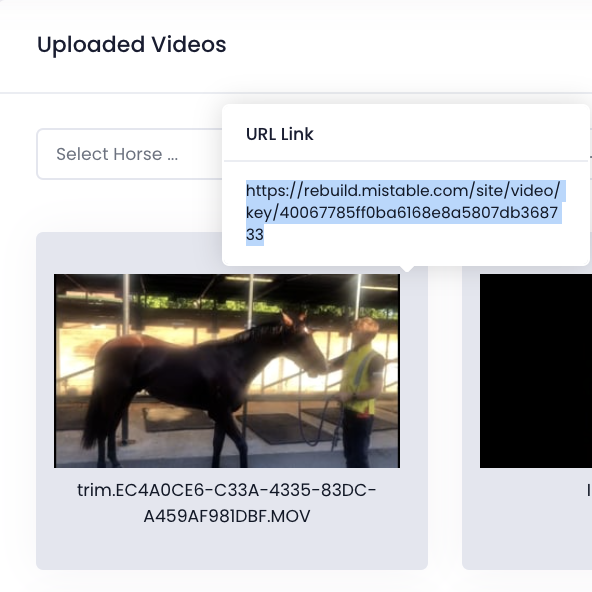
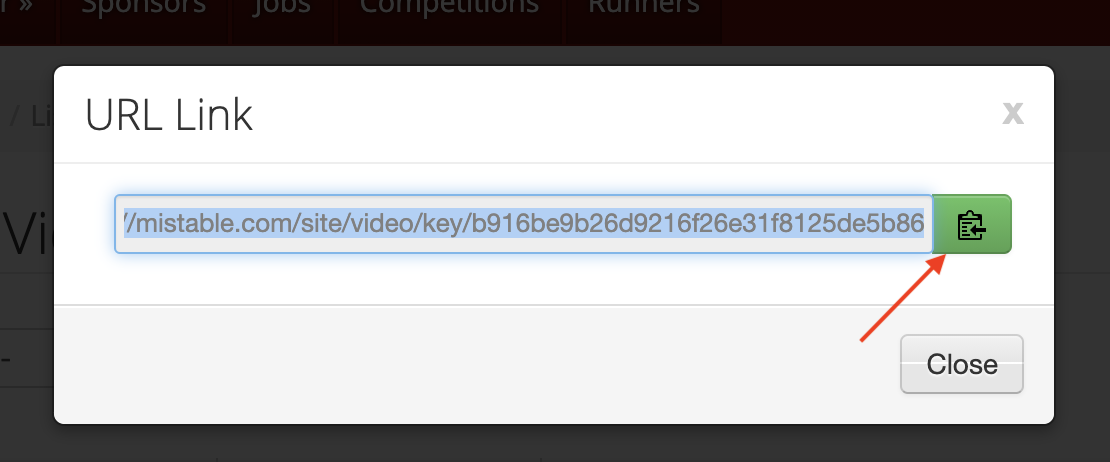
- Highlight and copy the URL link.
MiSite version 4 (Website Admin)
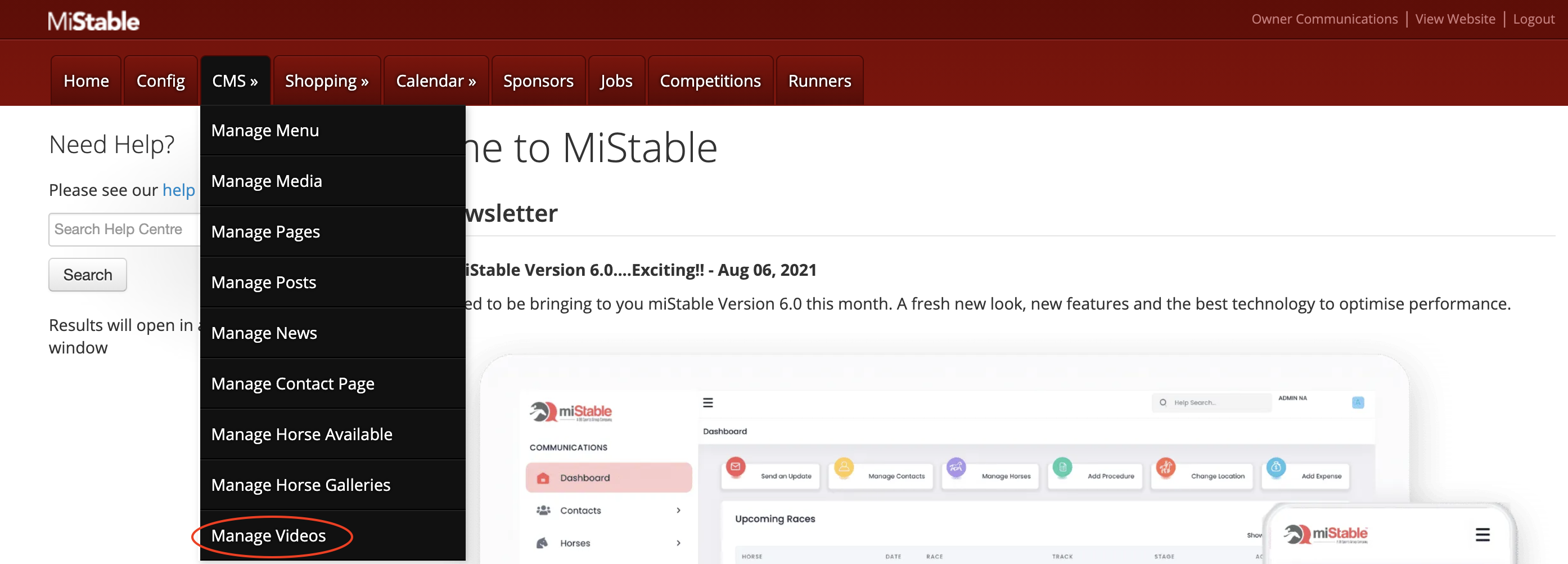
- Go to MiSite.
- Go to CMS and click the sub menu Manage Videos.
- Click the green URL button
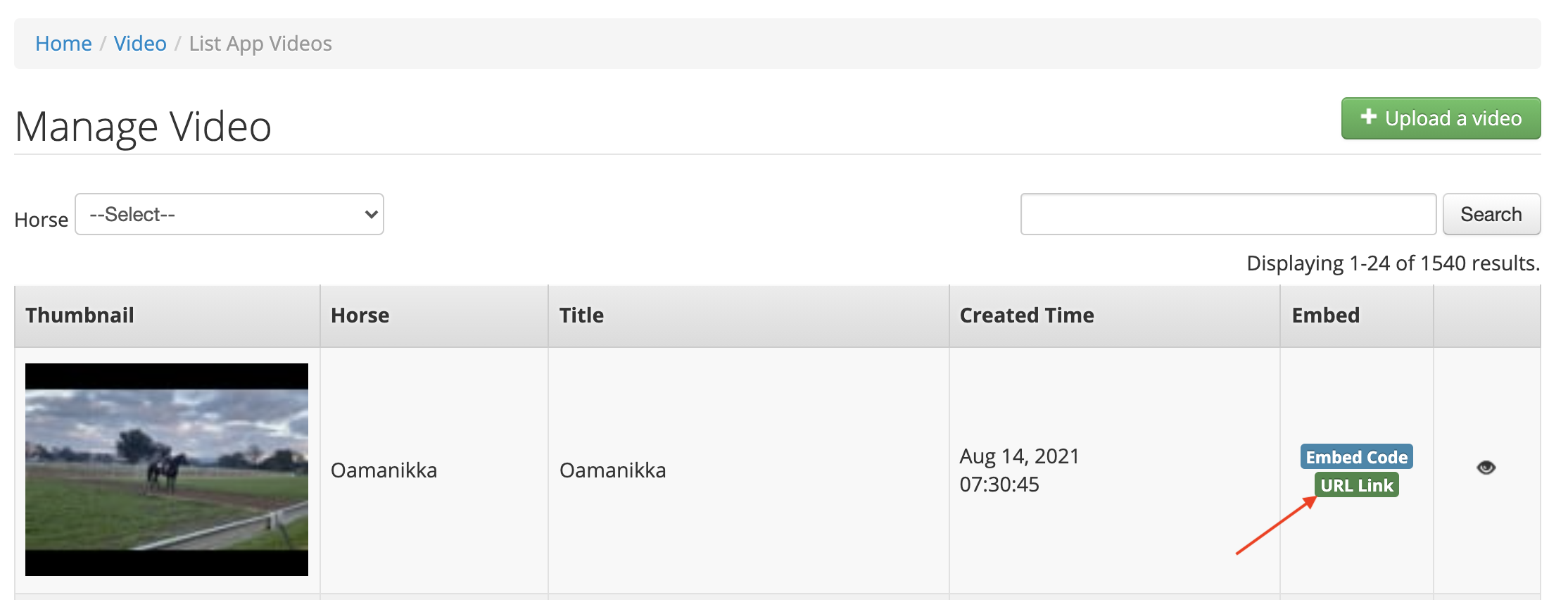
- Click the green copy button to copy the URL link to the video.
Comments
0 comments
Please sign in to leave a comment.