
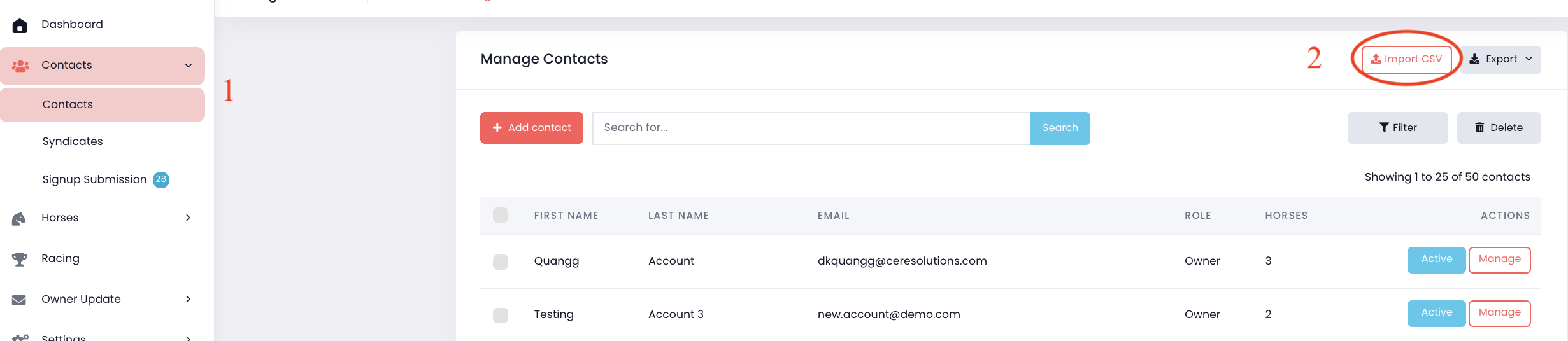
1. Download the CSV template from "Contacts" on the menu -> Select "Contacts".
2. Click "Import CSV" button.
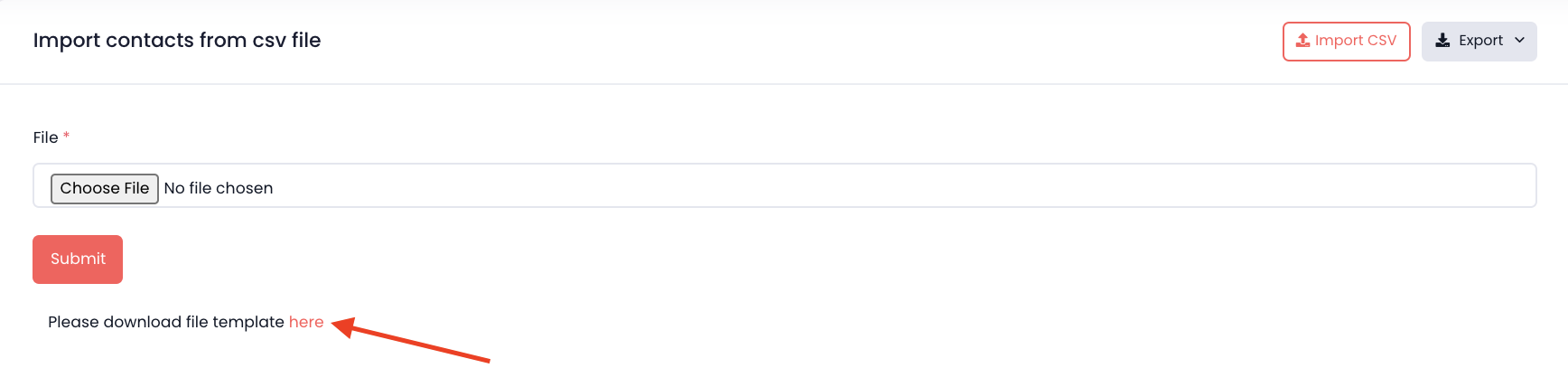
3. Click "here" to download.
4. Enter to contact details into the template. To list General Contacts on your CSV file to import into your MiStable account, complete as follows:
“Is Owner”: (keep this cell empty)
“Receive General Correspondence”: 1

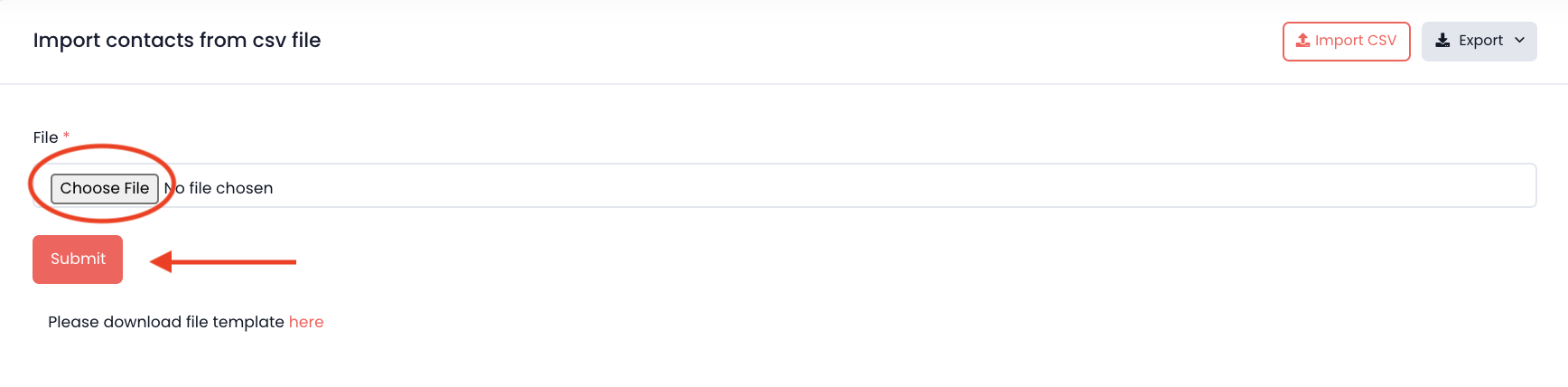
5. Once completed CSV file. Please come back to your MiStable -> Click "Choose File" and choose the CSV file from your computer -> Click "Submit".
Comments
0 comments
Please sign in to leave a comment.