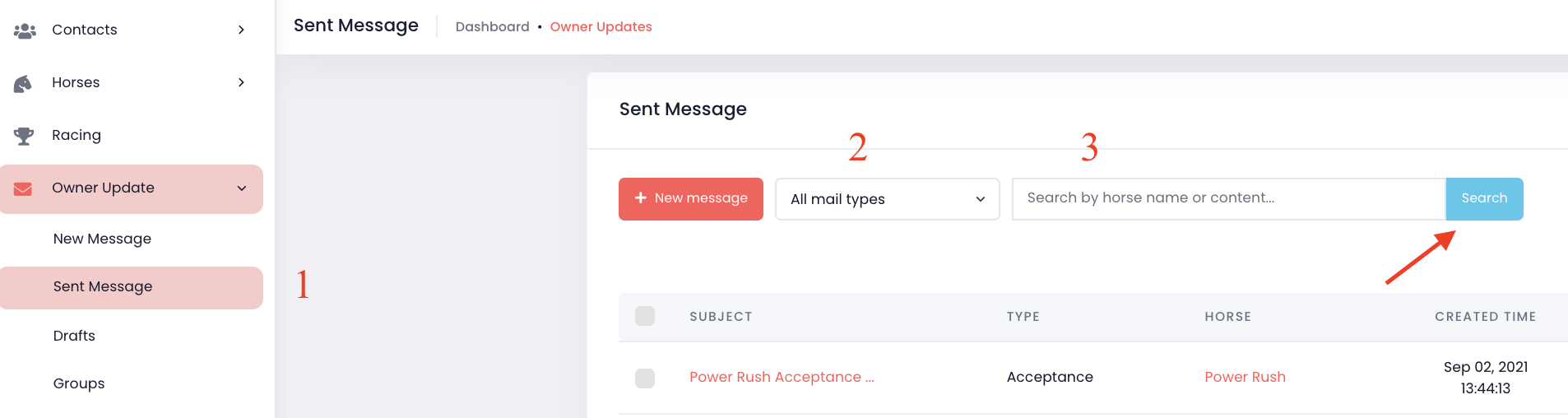
1. Go to the "Owner Updates" -> Select "Sent Message"
2. If you'd like to search for a particular type of report, select if from the Mail Type Drop down.
3. Type the horse name in the Search field.
4. Click "Search".

1. Go to the "Owner Updates" -> Select "Sent Message"
2. If you'd like to search for a particular type of report, select if from the Mail Type Drop down.
3. Type the horse name in the Search field.
4. Click "Search".
Comments
0 comments
Please sign in to leave a comment.