
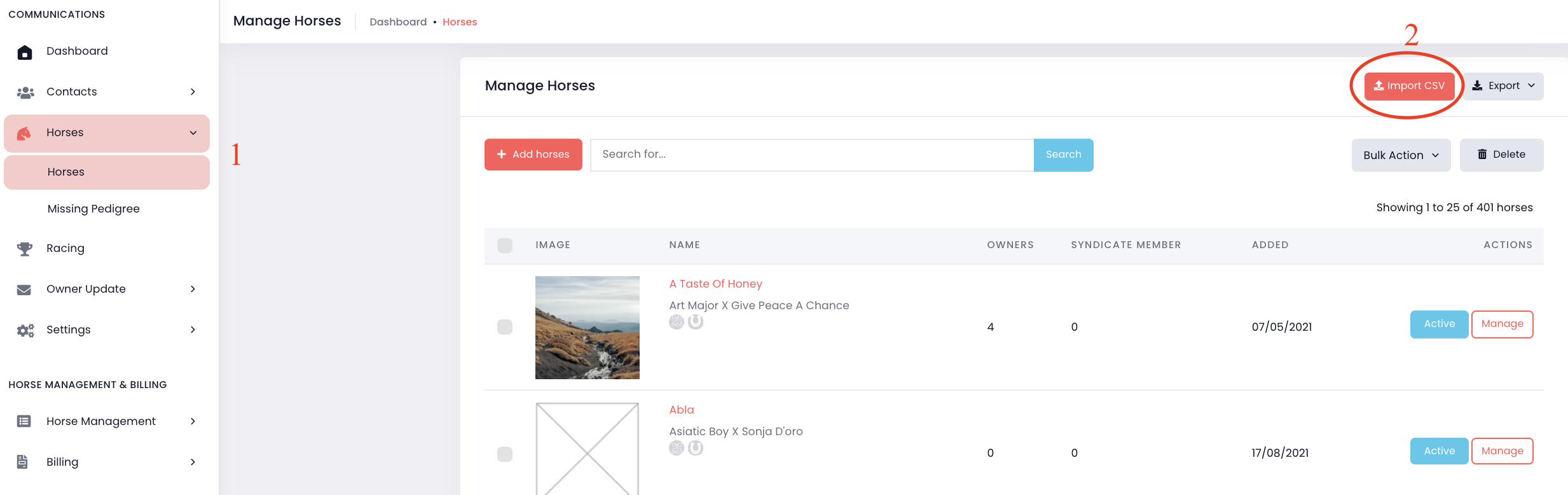
1. Go to "Horses" on the menu -> Select "Horses".
2. Click "Import CSV" button on the upper right corner.
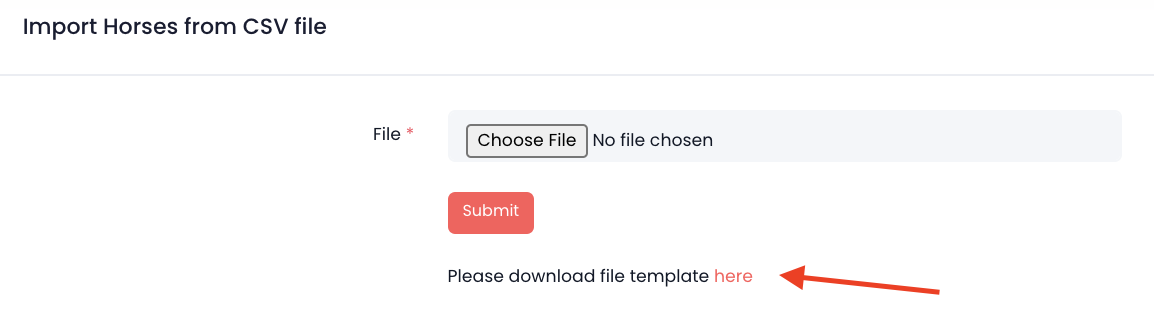
3. Click "here" to download the CSV template.
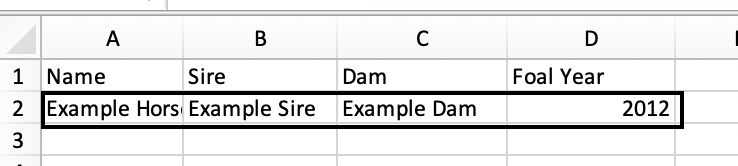
4. Enter the horse details into CSV file. Please remove the first example horse.
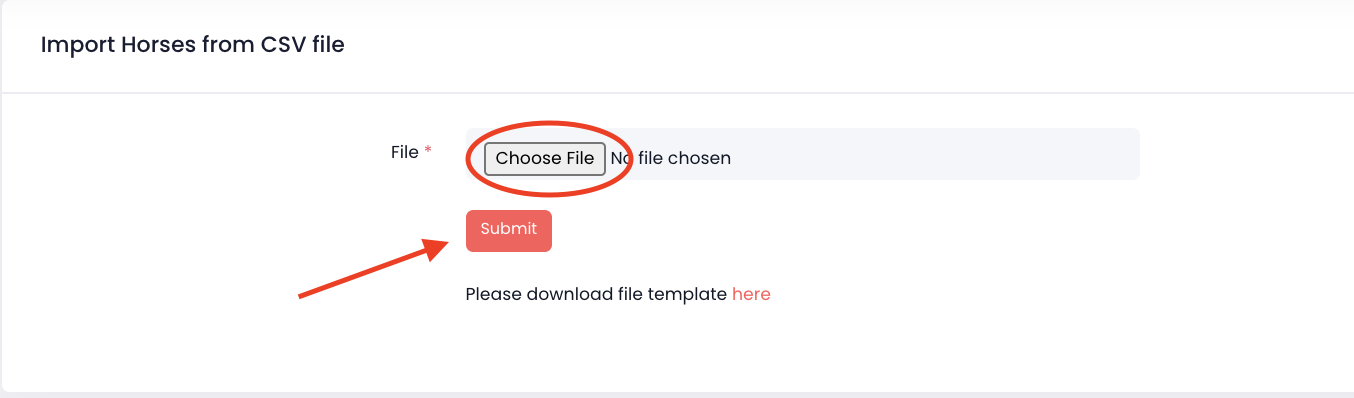
5. Go back to Import CSV -> click "Choose File" to upload file from your computer -> Click "Submit"
To import Contacts using a CSV file, you can do the similar steps in" Contacts". Please refer to the instructions here:
Add Owners using CSV file
Comments
0 comments
Please sign in to leave a comment.